
In the rapidly evolving world of academia, students can no longer afford to use outdated study methods. This comprehensive guide unveils the 10 best AI tools for studying in 2025, hand-picked for their high-performance capabilities and trustworthiness among students and researchers. We cut through the noise of overlapping apps to present specialized solutions, from NotebookLM’s free, interactive mind-mapping features and Anara’s powerful document interrogation for literature reviews, to Claude’s complex data analysis and Perplexity’s trusted, citation-backed search.
Whether you need to streamline the reading process, automate note-taking, or structure a high-stakes essay, these apps represent the cutting edge of educational technology. Discover how to leverage these best AI tools for studying to accelerate your learning and master difficult subjects with scientific precision. Our list is an essential resource for anyone seeking a competitive edge in their education, detailing not only the features but also the ethical, high-integrity use of AI tools for academic research. Stop studying harder and start studying smarter.
Below, we begin our deep dive into the top 10 AI-powered apps that will revolutionize your workflow, starting with the most versatile study companions.
1. NotebookLM: The Best Free AI Study Companion
If you are looking for an accessible entry point into AI tools for academic research, NotebookLM is arguably the best place to start. Developed by Google, this tool is entirely free to use, making it an essential resource for students on a budget.
NotebookLM shines because of its ability to ground its AI responses in your specific documents. You aren’t just chatting with a general bot; you are interacting with your own course materials.
Key Features:
- Source Grounding: You can upload lecture notes, presentations, PDF text, and even video or audio recordings (like YouTube videos) directly into the platform.
- Interactive Mind Mapping: One of the standout features is the ability to create mind maps. The AI generates a detailed visual breakdown of your topic, allowing you to zoom in from broad concepts to detailed sub-sections. This is invaluable for visual learners who need to see how ideas connect.
- Audio Summaries (The “Podcast” Feature): For those who learn better by listening, NotebookLM can convert your uploaded notes into an engaging audio summary. It feels like listening to a podcast about your specific lecture, which is a game-changer for revising while commuting or exercising.
It is a fantastic starter platform if you are new to AI and want to test the waters without a subscription fee.

2. Anara (Formerly Unriddle): The Ultimate Research Organizer
Coming in at number two is Anara (previously known as Unriddle). If NotebookLM is for general study, Anara is one of the best AI tools for studying complex literature and organizing heavy research loads.
Anara isn’t a search engine where you go to find new papers; rather, it is the workspace where you bring the papers you have already found. It excels at taking your existing library of PDFs and organizing them into neat folders and sections.
Why Students Trust Anara:
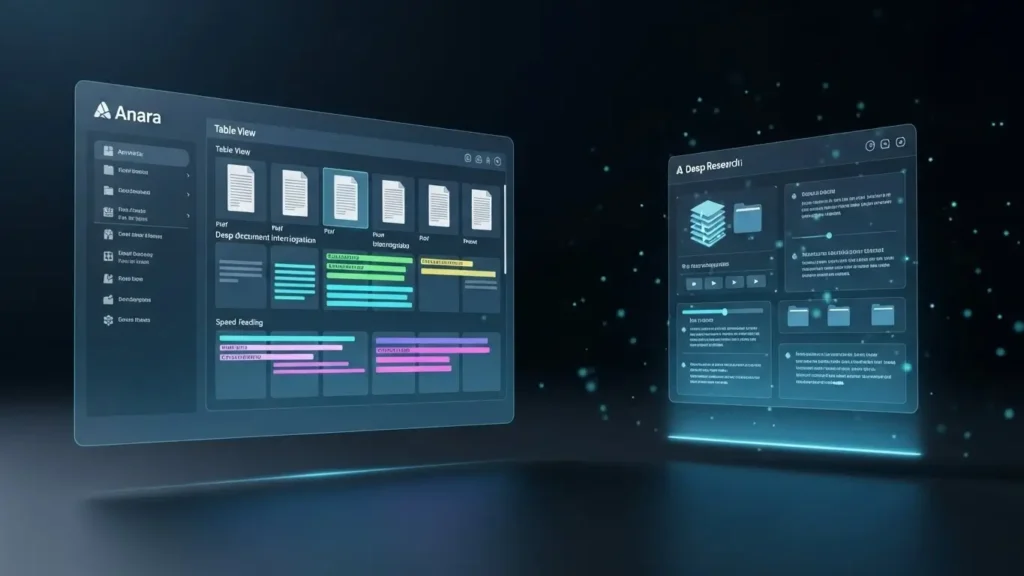
- Table View: They have recently released a “Table View” feature that allows you to see all your research papers and sources in a structured grid. You can filter this table to quickly find specific data points across multiple documents.
- Deep Document Interrogation: Once your material is uploaded, you can ask specific questions about the text. For example, you can ask the AI to identify the critique in a paper, list the five key results, or extract the most critical data points.
- Speed Reading: Instead of reading every line of a 30-page journal article, Anara helps you speed up the process by highlighting the information you actually need to know.
For students conducting deep literature reviews, Anara is one of the most powerful AI tools for academic research currently available.
3. ChatGPT: The Versatile Brainstorming Partner
Number three might come as a surprise to some, but it is the ubiquitous ChatGPT. In the academic world, ChatGPT often gets a lot of slack it is treated much like Wikipedia was in the early 2000s. Professors warn that it hallucinates and that you can’t trust its sources. While this is true for specific citations, dismissing it entirely is a mistake.
When used correctly, ChatGPT remains one of the best AI tools for studying, particularly for tasks that don’t require strict referencing.
Best Use Cases for Students:
- Simplification: If you are struggling with a dense paragraph in a textbook, type it into ChatGPT and ask it to “explain this to me like I’m 12.”
- Essay Structuring: If you don’t know how to start an assignment, you can ask for a structure. For instance, prompt it with: “Give me the perfect structure for an introduction paragraph for an essay on climate change economics.” It will guide you to start with an opening sentence, add a critique, and conclude with a thesis statement.
- Definitions and Comparisons: It is incredibly fast for finding quick definitions or comparing two complex terms without wading through Google results.
As long as you are not relying on it for facts that need citations, it is still a very powerful engine for brainstorming and outlining.

4. Traverse: The Self-Learning & Spaced Repetition Tool
Traverse is a unique entry on this list. While many tools focus on generating text, Traverse is designed to help you master complex topics through cognitive science principles. It effectively combines mind mapping, note-taking, and flashcards into a single, cohesive ecosystem.
The Full Learning Cycle:
Most tools only cover one part of the learning process (like reading or summarizing). Traverse covers the full learning cycle.
- Visual Mind Maps: You can map out your knowledge visually.
- Spaced Repetition: The app allows you to create flashcards directly from your notes. It then uses spaced repetition algorithms to test you on this information at optimal intervals, ensuring you retain the knowledge long-term.
Rather than having messy notes scattered across different notebooks, Traverse helps you build a “knowledge graph” that you can return to again and again. It is one of the best AI tools for studying for medical students, law students, or anyone who needs to memorize vast amounts of information.

5. Canva: The Visual Powerhouse for Presentations
Number five is Canva. You might not typically expect to see a graphic design platform on a list of the best AI tools for studying, but for modern students, visual communication is just as important as written research.
Reflecting on my own time studying, I used to spend hours wrestling with PowerPoint or Excel to create posters, slides, and figures for presentations. The results were often mediocre at best. Today, Canva has integrated powerful AI capabilities that make high-end design accessible to everyone.
How It Transforms Academic Work:
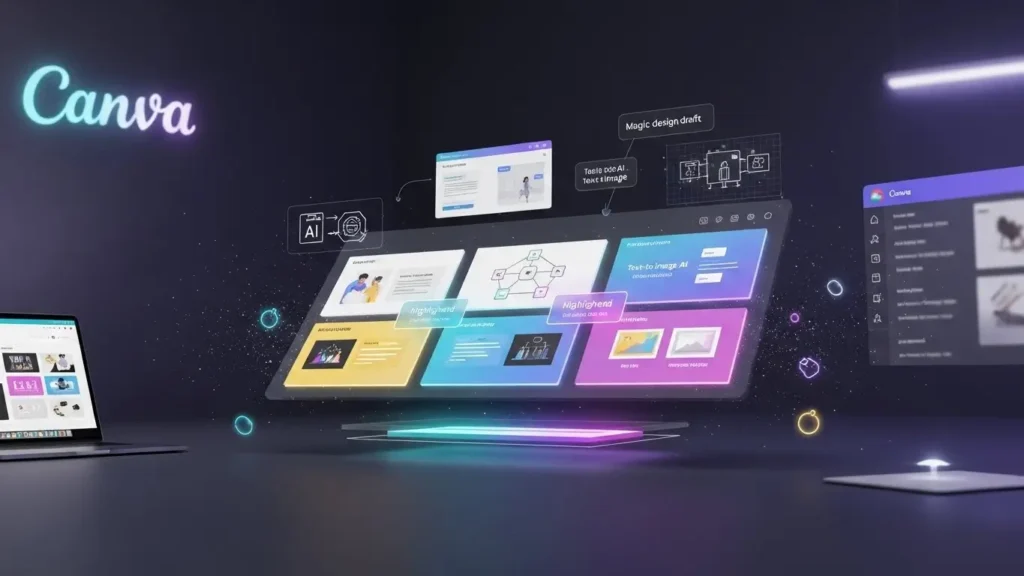
- Magic Design: You can type a simple prompt describing the presentation you need, for example, “A 10-slide deck on the history of renewable energy,” and Canva’s AI will generate a draft presentation with relevant layouts, images, and text placeholders.
- Visuals for Vivas and Posters: If you have an end-of-year presentation, a viva, or an academic poster session, Canva allows you to create professional-grade visuals that help you stand out.
- Text-to-Image: If you need a specific diagram or illustration that doesn’t exist, you can use Canva’s AI image generator to create it from scratch.
For students who need to present their findings to an audience, Canva is an indispensable tool that ensures your work looks as good as it sounds.
6. Jenni AI: The Academic Writing Assistant
Number six is Jenni AI. If you have been following the rise of AI tools for academic research, you likely expected to see this name. Jenni AI was one of the first platforms specifically built to address the needs of academic writing when the AI wave first swept the world.
Unlike generic chatbots, Jenni is purpose-built for writing papers, essays, and literature reviews. It acts as a co-pilot that sits right next to your cursor.
Why It Is a Top Pick for Writing:
- Autocomplete and Expansion: Jenni helps you overcome writer’s block by suggesting the next sentence or paragraph based on your current context. It helps with brainstorming and fleshing out weak arguments.
- Citation Management: One of its strongest features is its ability to handle citations. It can store your references and ensure that the text it generates is backed by real sources.
- Literature Interrogation: Similar to Anara, Jenni has expanded its capabilities to allow you to search through your uploaded literature and ask questions. However, Jenni distinguishes itself by focusing more heavily on the writing and editing side of the process.
For students focused on drafting strong, citation-backed text, Jenni AI remains a dominant player among the best AI tools for studying.

7. Claude: The Underrated Analytical Genius
The next tool is Claude, developed by Anthropic. While often overshadowed by ChatGPT, Claude has quietly become one of the most powerful tools for deep analysis and complex workflows.
After spending months integrating it into an academic workflow, it has become clear that Claude is easily in the top three AI tools ever created for researchers. It shines where other models struggle: handling large amounts of data and performing nuance analysis.
Advanced Capabilities for Researchers:
- Statistical Analysis & Coding: You can upload raw datasets to Claude and ask it to perform statistical analysis. It can explain why you should use a certain statistical test and then help you interpret the results.
- Visual Data Generation: Claude can generate code to create visuals for your data, such as graphs, tables, and interactive charts.
- Interactive Study Aids: You can ask Claude to create functional tools for you. For example: “Create an interactive study timetable that includes Biology and Math, spans 5 days, and accounts for breaks.” It can write the code to generate that artifact instantly.
Claude is highly underrated but offers a level of reasoning and context retention that makes it superior for complex academic tasks.

8. Perplexity: The AI-Powered Search Engine
Number eight is Perplexity. Imagine if Google were reinvented from the ground up as an AI. That is essentially what Perplexity is. It started as a tool heavily leaned towards AI tools for academic research, but has expanded to become a general answer engine.
Why It Beats Traditional Search:
- Trusted Sources: When you search on Perplexity, it doesn’t just give you a text answer; it provides citations for every claim. You can be confident that the papers and articles it suggests are real and trustworthy.
- Deep Dives: You can ask follow-up questions to delve deeper into a topic. It feels like having a conversation with a librarian who has read every book in the library.
- Academic Focus: Despite its general appeal, it retains an academic feel. It is an excellent alternative to Google Scholar when you need to find initial sources or understand the landscape of a research topic quickly.
If you are tired of clicking through ten different blue links to find one answer, Perplexity is the solution.

9. Gauthmath: The Homework Helper
Number nine is Gauthmath (often spelled just Gauth). This tool is a lifesaver for students dealing with quantitative subjects like mathematics, physics or chemistry. It functions essentially as an advanced AI tutor.
Step-by-Step Solutions:
- Photo Input: You can simply snap a photo of a math problem or upload a PDF of your homework.
- Detailed Explanations: The AI doesn’t just give you the final answer; it provides a step-by-step solution. It explains how it got there and why each step was taken.
- Tutor Support: They also offer access to real tutors for 1-on-1 help if the AI explanation isn’t enough.
While a PhD researcher might not find this useful for their thesis, for an undergraduate or high school student struggling with calculus or algebra, Gauthmath is one of the best AI tools for studying STEM subjects.

10. Question AI: Homework and Concept Solvers
Finally, we arrive at number ten, Question AI. This tool operates in a very similar ballpark to Gauthmath, serving primarily as an AI homework helper and study companion, making it one of the simplest yet most effective AI tools for studying for high school and undergraduate students.
If you are a student feeling overwhelmed by a tough assignment, Question AI can provide immediate relief. Its core offering is simplicity: you provide the question, and the tool provides a comprehensive answer.
Designed for the Overwhelmed Student:
- Instant Solutions: Students can input any study question, whether it’s conceptual, mathematical, or based on specific course material, and receive a solution quickly.
- Academic-Directed Answers: While you could input simple questions into ChatGPT, tools like Question AI and Gauthmath are better tailored to deliver answers in a structured, academic format, often including the steps necessary to arrive at the solution.
- Overcoming Anxiety: By providing immediate support and step-by-step guidance, Question AI helps students overcome the anxiety and overwhelm associated with complicated homework problems, ensuring they keep moving forward in their studies.
These dedicated homework tools may not be the primary choice for deep AI tools for academic research, but their value to the general student population seeking efficient, reliable support is undeniable.

The AI Revolution: Studying Smarter, Not Harder
The year 2025 marks a pivotal moment in educational technology. The selection of tools detailed above, from the powerful, free mind mapping of NotebookLM to the deep data analysis capabilities of Claude, demonstrates that the question is no longer if you should use AI, but how you should integrate the best AI tools for studying into your personalized learning workflow.
These platforms are not shortcuts to avoid learning; they are accelerators that automate the tedious, repetitive parts of the process, reading long papers, organizing scattered notes, drafting outlines, and creating flashcards, freeing up your cognitive energy for the higher-order tasks: critical thinking, analysis, and synthesis.
The Path Forward: Integrity and Efficiency
As you embrace these technological advantages, it is crucial to remember the principles of academic integrity. Tools like Jenni and Perplexity can dramatically enhance your research and writing productivity, but the final analytical work, interpretation, and unique contribution must remain yours. Platforms like Jenni, Perplexity, and Anara can accelerate research and streamline writing, but:
- Your ideas
- Your analysis
- Your interpretation
- Your academic voice
For students and researchers navigating this new landscape, transparency is key. You must understand not only the power of these AI tools for academic research but also the ethical guidelines set by your institution. For comprehensive guidance on responsible usage, including proper disclosure and citation of AI-assisted work, always refer to your university’s official policies on Generative AI or external resources like this guide on academic best practices from the Australian National University.
By selecting the right applications from this list of the best AI tools for studying, you are not just keeping up with technology; you are building a competitive advantage that ensures success in 2025 and beyond. Choose your tools wisely, focus on developing the critical skills only you possess, and watch your academic performance reach new heights.
Final Thoughts: Build a Smarter Workflow for 2025 and Beyond
Choosing the right AI tools isn’t just about convenience; it’s about developing a strategic learning system that gives you a competitive edge.
By selecting the best AI tools for studying, you can:
- Process information faster
- Learn more effectively
- Work with deeper insight
- Reduce stress and overwhelm
- Excel academically in 2025 and the years ahead
AI is not the future. It’s the present. And students who learn to use it responsibly will outperform everyone else.
(FAQs):
Q1: Is it considered cheating to use these best AI tools for studying?
A: No, generally, using the best AI tools for studying is not considered cheating when used responsibly. These tools are often categorized as permissible learning aids, similar to calculators or spell-checkers. However, it is an academic integrity violation to use them to complete assessments when explicitly forbidden or to submit AI-generated content (like an entire essay or a factual answer) as your own original work without proper disclosure and verification. Always check your university’s specific policy on the use of Generative AI tools in coursework.
Q2: Which AI tool is best for tackling deep academic research, not just homework?
A: For the best AI tools for academic research, the three top contenders are Claude, Perplexity, and Anara (formerly Unriddle).
- Claude excels at complex data analysis and handling large documents.
- Perplexity is the best AI search engine, providing trustworthy, cited sources for literature reviews.
- Anara specializes in organizing your existing research papers and extracting critical insights, critiques, and key findings from your uploaded PDFs.
Q3: How can I ensure the information I get from an AI tool is accurate?
A: This is a crucial step for maintaining academic integrity and accuracy. You should never accept AI output (especially from general tools like ChatGPT) without verification. Tools like Perplexity and NotebookLM are often more reliable as they provide direct citations or ground their answers in your specific uploaded sources. For all other outputs, verify facts and citations against original, authoritative, peer-reviewed sources (like Google Scholar or your university library database) before including them in your final work.
Q4: Are there any free best AI tools for studying that still offer high performance?
A: Yes, there are several powerful free options. NotebookLM is a fantastic free tool for summarizing documents and creating mind maps. ChatGPT offers a powerful free version for brainstorming and quick definitions. Canva provides a robust free tier for creating professional-looking presentations and visuals.