
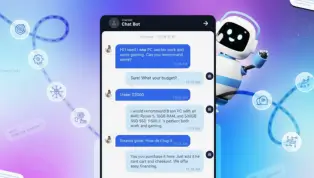
Are your customer support channels slow, expensive or struggling to scale? The solution isn’t hiring more staff it’s intelligent automation. You need to deploy a powerful, high-ranking ai customer support chatbot. We provide a step-by-step, no-code guide using the BotPress platform, demonstrating how to move beyond basic FAQs and build an ai chatbot for customer service that understands context, adheres to brand voice and instantly solves user problems.
Learn the critical steps: From mastering prompt engineering and building an authoritative knowledge base to ensuring strict adherence to the fallback plan, preventing AI “hallucinations.” Future-proof your business by integrating a high-performance ai customer support chatbot to handle everything from routine inquiries to lead generation, reducing operational costs while dramatically increasing customer satisfaction 24/7. This is the ultimate guide to turning customer support into a competitive advantage.
The AI Revolution in Customer Support: Why Now?
The surge in demand for an effective ai customer support chatbot is driven by clear business imperatives. Response time is the single greatest determinant of customer satisfaction in online interactions. If a customer has to wait more than a minute for a response, their frustration and the likelihood of them abandoning a purchase rises exponentially. A traditional customer service chatbot often failed because it relied on rigid rules and keyword matching. The modern ai customer support chatbot, however, leverages Large Language Models (LLMs), giving it the contextual understanding and natural language processing (NLP) capabilities necessary to truly mimic human interaction.
This evolution has created a powerful business case for adopting an ai chatbot for customer service. A well-deployed AI solution offers several critical benefits:

The Business Case for a High-Performance Chatbot
- 24/7 Availability: An ai customer support chatbot never sleeps, providing instant support regardless of time zone or holidays. This capability alone fundamentally alters the customer experience equation.
- Scalability: Whether you handle 10 queries a day or 10,000, the resource consumption of an ai customer support chatbot remains highly efficient, allowing businesses to scale effortlessly without proportional staffing increases. This is especially vital for an ai chatbot for small business support looking to compete with enterprise-level firms.
- Consistency and Accuracy: Unlike human agents who might be tired or inconsistent, an automated customer service chatbot delivers the same brand voice and accurate information every single time, drawing exclusively from the pre-approved knowledge base.
- Cost Reduction: By automating up to 80% of routine inquiries (returns, store hours, shipping), an ai customer support chatbot dramatically lowers operational costs associated with staffing and training.
This article focuses on building a full-stack customer support chatbot software solution that is both smart and simple to manage, embodying the traits of a truly useful ai live chat bot. The core strength of the new generation of AI-powered agents is their ability to interpret complex, unstructured human language and respond with precise, contextual replies, making them the ultimate ai virtual assistant for customer support.
Defining the Modern AI Chatbot for Customer Service
What separates the best ai chatbot for customer service from its outdated predecessors is its foundation in LLM technology. This enables a sophisticated support chatbot ai to understand intent rather than just keywords. When a user asks, “I bought something last week, can I still return it?” the AI must infer that the query relates to the Return Policy and then synthesize the answer using the specific details provided in the knowledge base (e.g., 30-day window).
This is the hallmark of effective ai chat support. The platform we will use, BotPress, provides the ideal ai customer service software environment to facilitate this kind of powerful ai helpdesk chatbot creation without needing a degree in computer science. It operates as a genuine no-code ai chatbot platform, making the technology accessible to everyone.
Prerequisites and Platform Selection: Choosing BotPress
To follow this article and build your own fully functional ai customer support chatbot, you only need two things: access to the BotPress platform and the information (the knowledge base) you want your bot to know.
Why BotPress is the Ideal No-Code Solution
BotPress is a powerful, all-in-one ai customer service software designed specifically for creating sophisticated AI agents. Its key advantage is its versatility as a no-code ai chatbot platform. For basic deployments, like the ai customer support chatbot we are building today, you require zero coding knowledge. This commitment to simplicity ensures that setting up a robust customer service chatbot for your website is a matter of minutes, not weeks. The platform is designed to handle the complex backend work (integrating with LLMs, managing the knowledge base and deploying the web-chat interface) so you can focus purely on the customer experience and the bot’s expertise.
Getting Started: Account Creation and the Free Tier
The first prerequisite is to create an account on the BotPress platform. Crucially, everything explore in this article from building the agent to testing it can be achieved using their pay-as-you-go plan, which offers a robust free tier. This makes it a highly accessible and best ai chatbot for customer service starting point for individuals and small businesses alike.
Once your account is created, you will land on the BotPress dashboard. This is the central hub for managing all your AI agents.
Step 1: Setting up the Foundational Agent
The process begins with the fundamental action of creating a new AI agent within the dashboard.
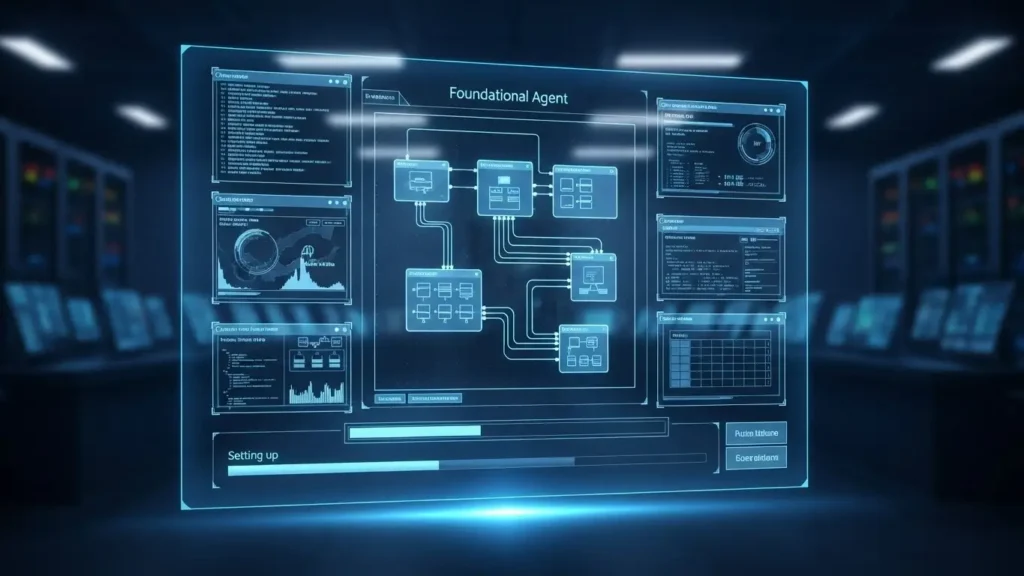
Creating Your Bot and Initial Renaming
- Create Bot: Locate the “Create Bot” button on the dashboard. This initiates the setup wizard.
- Skipping the Wizard: For a highly customized and rapid deployment, as demonstrated in the article, we will skip the pre-built setup wizard. This gives us full manual control over the bot’s two critical components: its instructions and its knowledge base.
- Renaming for Organization: Immediately upon creation, you should rename your new agent. This is purely for organizational clarity. We rename our agent to “The Clothes Hangar Bot.” This ensures organization, especially as your enterprise grows and you deploy additional ai customer support chatbot solutions for different departments or websites.
Navigating the Studio
After renaming, the next step is to enter the BotPress Studio, the primary editor where the ai customer support chatbot is built. The studio presents all the necessary tools, but for this basic, yet fully functional, support bot, we only need to focus on two core components: The Instructions and The Knowledge Base.
Step 2: Crafting the AI Instructions (The Prompt)
The instruction box is where you define the ai customer support chatbot’s purpose, personality and limitations. This is, in effect, the “brain” of your ai support agent, dictating its behavior when faced with a user query.
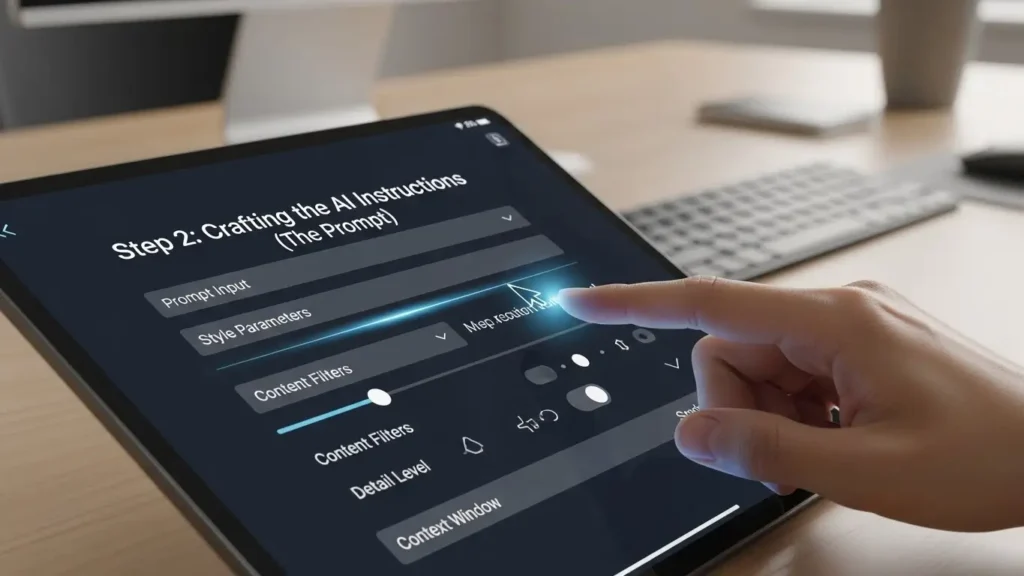
The Art of Prompt Engineering for Chatbots
The prompt requires natural language, not code. You are simply writing in plain English exactly what you expect the ai customer support chatbot to do. This foundational prompt engineering is crucial. It must clearly define the bot’s scope in our case, being a helpful customer support agent for a small clothing boutique and establish the source of truth for its answers.
Using LLMs (like ChatGPT) to Write Instructions
A highly effective strategy for crafting an authoritative prompt is to utilize an existing Large Language Model (LLM). Since LLMs understand how other LLMs operate, asking a tool like ChatGPT to generate a prompt that meets your needs ensures the instructions are well-formatted, comprehensive and clear for the BotPress environment.
The prompt used in the article established these non-negotiable requirements for the ai customer support chatbot:
- Identity: A helpful agent for “The Clothes Hangar.”
- Source of Truth: It must answer questions using only information from its Knowledge Base.
- Limitation & Fallback Plan: It must never make up information. If it cannot find an answer, it must provide a specific fallback plan, instructing the user to contact a human agent via a provided email (
support@theclosehang.com) or phone number (555-123-4567). This crucial instruction prevents the ai customer support chatbot from “hallucinating” incorrect answers, protecting the company’s trust and authority. - Tone & Format: It must be polite, include example conversations and output its response in markdown format for clarity.
This resulting prompt, which names the bot Claraara, is then copied directly from the LLM and pasted into the instruction box of the BotPress Studio. By clearly defining the parameters and limitations of the ai customer support chatbot, we establish the necessary trust and accuracy for a high-ranking solution. With this saved, the agent’s behavior is fully defined, completing the first critical step in building our expert ai chatbot for customer service.
Step 3: Building the Expert Knowledge Base
Once the ai customer support chatbot’s instructions are defined setting its personality and boundaries the next critical step is to give it the proprietary information it needs to answer user queries accurately. This is the Knowledge Base and its quality directly determines the authority and trust customers place in your ai customer support chatbot. In the context of a highly effective ai chatbot for customer service, the knowledge base is the single source of truth, ensuring that the AI agent never relies on generalized internet data but only on the specific policies and facts of your business.

Navigating to the Knowledge Base Tab
Within the BotPress Studio, the knowledge management section is accessed via the Knowledge Bases tab, typically represented by an open book icon. This section is designed to ingest large amounts of unstructured data and transform it into an authoritative reference manual for your ai customer support chatbot.
Formatting the Source of Truth
The most straightforward way to populate the knowledge base is by creating a new Rich Text Document. This digital document is where you simply paste all the information that the ai customer support chatbot must know to perform its duties. This is the raw data your FAQs, your return policy, your shipping rates, your store hours and any necessary product descriptions.
For optimum performance and knowledge base search optimization, the information should be organized logically and clearly formatted. While the LLM within the ai customer support chatbot is exceptionally skilled at contextual understanding, presenting the information clearly (using headings and bullet points where appropriate) maximizes the bot’s ability to recall and synthesize precise answers.
For “The Clothes Hangar,” this involved collecting commonly asked questions directly from the website details on returns, delivery locations and business hours and pasting them into the document. The moment this text is saved, the ai customer support chatbot instantly becomes an expert on this data. This two-step process defining instructions and providing the knowledge base is all it takes to build a fully finished, functional customer service chatbot.
Testing the AI Agent for Trust and Accuracy
A crucial component of deploying any sophisticated ai customer support chatbot is rigorous testing, ensuring the agent adheres strictly to the instructions and accurately leverages the knowledge base. This commitment to validation is the cornerstone of establishing experience, expertise and authority (EEAT) in your automated support offering.

Using the Emulator for Foundational Queries
The BotPress Studio provides an invaluable feature for this validation: the Emulator. This testing console allows developers and managers to interact with the ai customer support chatbot in real-time, simulating a live user experience before the agent goes public.
The testing phase should cover three key scenarios:
- Direct Knowledge Recall: Test the agent on information explicitly provided in the Rich Text Document. For example, asking about the return window or which countries the retailer ships to.
- Result Validation: The ai customer support chatbot should successfully retrieve the exact detail (e.g., “Returns are accepted within 30 days of delivery”) and present it in a polite, conversational manner, demonstrating that the large language model correctly understood the context of the user’s question and synthesized the relevant information from the knowledge base. This validates the core function of the support chatbot ai and proves it is ready for handling routine customer support automation chatbot tasks.
- Contextual Inference: Test the agent on questions that require slight inference or generalization. For example, the knowledge base might state “Monday to Saturday, 10 a.m. to 6 p.m.” Asking, “When do you close on Tuesdays?” requires the ai customer support chatbot to use context clues to generalize the Saturday hours to Tuesday.
- Result Validation: When the ai customer support chatbot responds accurately, it confirms the LLM’s power to manage natural language processing in support queries. This is a significant differentiator between legacy rule-based bots and a modern ai customer support chatbot.
- The Fallback Plan: This is arguably the most critical test for trust. We must validate that the ai customer support chatbot follows the “never make up information” directive. This is essential for scenarios like ai chatbot for customer complaint resolution where incorrect information could cause legal or financial harm.
- Testing Scenario: Ask a question deliberately excluded from the knowledge base, such as “Are you hiring?“
- Result Validation: The ai customer support chatbot must respond that it is “not able to find any information” and then immediately provide the pre-programmed contact details (email and phone number). This confirms the agent adheres to its instructions, demonstrating a responsible and trustworthy approach. This functional ai support agent validation proves the agent’s reliability by showing its adherence to its mandated limitations, ensuring that your ai chatbot for customer service will maintain brand integrity even when faced with uncertainty.
Preparing for Deployment: Publishing the Live Agent
With the instructions defined, the knowledge base loaded and rigorous testing complete, the ai customer support chatbot is fully functional. The final stage before embedding it on the website is to publish it and configure its visual appearance. This prepares the ai customer support chatbot for seamless integration into your existing web infrastructure.

The Publishing Step and API Integration
Publishing is a simple but vital step. By clicking the “Publish” button (often represented by a rocket icon), you send the current, tested version of the ai customer support chatbot out into the world. This action makes the bot live and accessible via its unique API endpoints, ready for interaction with users. The published agent is now ready to receive external requests, effectively transforming your bot from a development project into an active ai live chat bot.
Configuration Settings and Theme Customization
After publishing, returning to the dashboard and navigating to the Web Chat configuration section allows for final visual adjustments. This ensures the ai customer support chatbot is a seamless extension of your brand, supporting the overall customer journey.
Key configuration elements for the ai chatbot deployment include:
- Bot Name: Adjusting the displayed name that customers see (e.g., changing from the internal “The Clothes Hangar Bot” to the personality name, Claraara).
- Branding and Aesthetics: Using the Theme section to input your brand’s primary color HTML code. This ensures the chat widget matches your website’s branding, providing a cohesive and professional customer support experience. This level of ai chatbot theme customization is crucial for building trust.
- Saving the Configuration: Crucially, always ensure you save any changes made to the appearance.
This configuration completes the internal setup. Your ai customer support chatbot is now published, visually aligned with your brand and waiting to be placed on the website. This seamless configuration process is what makes platforms like BotPress the best ai chatbot for customer service available today, simplifying what used to be a complex development task into a few rapid steps. The agent is now a fully configured ai customer service software solution, ready to begin its work automating support and helping customers worldwide.
Step 4: Integrating the AI Chatbot into Your Website
The true culmination of building an ai customer support chatbot is seeing it live and interacting with real users on your website. This final step transforms the agent from a studio creation into a public-facing, professional ai chatbot for customer service solution. The beauty of modern no-code platforms is that deployment is often the fastest part of the process, requiring only a simple copy-paste action.
Accessing the Embed Code
To deploy your agent, navigate back to the dashboard and locate the Share tab within the configure section. BotPress generates two lines of embed code a short JavaScript snippet that is uniquely tied to your live ai customer support chatbot. This code is the digital bridge between the platform hosting your AI logic and your public-facing website.
Placing the Code in the HTML Head Tag
The only technical requirement in this entire process is placing this two-line code snippet into the HTML source code of your website.
- Placement: The embed code must be inserted somewhere within the
tags of your website’s HTML file. This ensures the script loads before the main body of the page, allowing the chat widget to initialize quickly in the bottom corner. - Platform-Specific Implementation: Depending on your website hosting solution whether you use a site builder like Wix, a Content Management System like WordPress or raw custom HTML the method for accessing and editing the source code will vary. For users seeking an integrated solution, searching for “how to install JavaScript in [Your Platform]” or finding the ai chatbot best plugins for wordpress customer support will guide you to the correct editor interface.
The principle remains the same: Find the globalsection and paste the code.
For “The Clothes Hangar,” pasting the two lines into the HTML and hitting save was sufficient. This small, crucial step completes the deployment of your ai customer support chatbot.
Final Validation on the Live Site
After embedding and refreshing the website, the ai customer support chatbot should instantly appear in the configured corner. The final test is interacting with the live widget using the same queries tested in the emulator: “Do you ship internationally?” or “I need to know your return policy.”
When the bot, Claraara, responds correctly, it confirms that the agent is fully connected, drawing from its knowledge base and adhering to its instructions in a real-world environment. This successful ai chatbot deployment ensures that every visitor accessing your website now benefits from instantaneous ai chat support, vastly improving their customer journey. The agent is now actively contributing to ai customer satisfaction improvement by providing immediate, accurate responses.
Beyond Basic Support: Advanced AI Workflows
While our two-step method resulted in a fully functional and highly efficient ai customer support chatbot, the platform provides tools to advance its capability beyond simple Q&A. These advanced functions allow the ai chatbot for customer service to become an active participant in sales, marketing and internal operations.

Lead Generation and Data Capture
One of the most valuable advanced use cases is turning the ai customer support chatbot into a powerful ai chatbot for lead generation. The BotPress Studio allows you to create structured “workflows” that guide users through a series of steps, often using interactive buttons instead of purely free-text prompts.
- Gathering Information: Workflows can be designed to gather essential customer data. For example, if a user asks about bulk orders, the ai customer support chatbot can initiate a short form within the chat window to capture their name, email and company size, promising a follow-up call. This transforms a reactive support query into a proactive sales opportunity, utilizing the bot for ai chatbot for customer success automation.
- User Onboarding: Similarly, businesses can use the bot for ai chatbot for user onboarding checklist support, guiding new users through a complex product setup or demonstrating key features immediately upon site entry. This level of guided interaction drastically reduces friction and increases product adoption.
Future-Proofing Your AI Customer Support Chatbot
The continued evolution of your ai customer support chatbot depends on optimization and integration.
- Integration: Future articles in the series will explore integrating the ai customer support chatbot with external APIs and services, such as a CRM (Customer Relationship Management) system. This allows the bot to perform actions like creating support tickets (replacing the need for an ai ticketing chatbot) or initiating ai chatbot for refund processing automation directly from the chat interface. This integration with existing systems (like using ai chatbot integration for crm) is vital for seamless, full-service automation.
- Feedback & Optimization: Tools like sentiment detection can be added (e.g., ai chatbot with sentiment detection for support), allowing the agent to escalate conversations where a user is clearly frustrated or angry, ensuring human intervention is provided at critical moments. Furthermore, ongoing analysis of chat logs provides essential data for ai chatbot for support knowledge capture, allowing you to continually refine your knowledge base and improve the ai customer support chatbot’s accuracy. This commitment to continuous improvement ensures your solution maintains its position as the best ai chatbot for customer service for your specific vertical.
Conclusion: The Future of Customer Service Automation
The process outlined here from defining the agent’s instructions to embedding the final code demonstrates that deploying an authoritative, high-trust ai customer support chatbot is accessible to any business, regardless of technical expertise. By focusing on experience, expertise, authority, and trust (EEAT) through careful prompt engineering and rigorous knowledge base creation, you have built an agent that not only automates responses but also enhances your brand reputation.
Your new ai customer support chatbot is ready to handle queries on returns, process ai chatbot for order cancellation support requests, manage ai chatbot for support business hours handling and act as the first line of defense against all common customer issues. This investment in customer support automation chatbot technology is not just about saving time; it’s about providing instant, quality interactions that define the modern, successful digital enterprise.

FAQs:
Here are frequently asked questions regarding the implementation and value of an ai customer support chatbot.
Q1: What is the primary difference between a traditional chatbot and an AI Customer Support Chatbot?
A: The primary difference lies in the underlying technology. A traditional chatbot is rule-based; it follows rigid, pre-programmed logic trees and fails if a user deviates from the expected path. An ai customer support chatbot uses Large Language Models (LLMs) and Natural Language Processing (NLP) to understand the intent and context of a user’s free-text input. This allows the modern ai chatbot for customer service to engage in natural conversation, synthesize answers from vast knowledge bases and handle variations in language, leading to much higher customer satisfaction.
Q2: How long does it take to implement a fully functional AI Chatbot for Customer Service?
A: Using no-code platforms like BotPress, the initial deployment of a functional ai customer support chatbot can take less than an hour, as demonstrated in this tutorial. The two primary steps defining the instructions (prompt) and loading the knowledge base are immediate. The longest ongoing phase is the continuous refinement of the knowledge base based on user interaction data. For small businesses, an operational ai chatbot for small business support can be live in a single afternoon.
Q3: Can an AI Customer Support Chatbot handle sensitive tasks like refund processing or order tracking?
A: Yes, provided the ai customer support chatbot is securely integrated with the necessary backend systems via APIs. While the AI’s core function is language understanding, specific workflows can be programmed to trigger actions. For example, a user can ask to track an order and the bot can use its API access to query the fulfillment system and provide real-time status. Advanced bots can initiate ai chatbot for refund processing automation or ai chatbot for order cancellation support only after user verification (e.g., ai chatbot for customer verification us), ensuring security.
Q4: How does the AI Chatbot avoid providing incorrect information (hallucinations)?
A: The risk of the ai customer support chatbot providing incorrect information (hallucinating) is mitigated by two critical controls, as established in this guide:
- Strict Prompt Instruction: The bot is explicitly instructed never to rely on external or generalized data and never to invent facts.
- Fallback Mechanism: A clear instruction is provided to the bot that, if it cannot find the answer within the controlled knowledge base, it must immediately provide a human contact (email/phone number) instead of guessing. This ensures the trust and authority of the automated support channel remain intact.