

Uncover the ultimate Claude Opus 4.1 guide for 2025 and master the nine revolutionary features changing professional workflows. This comprehensive, article offers unique insights into Anthropic’s next-generation model, Claude AI 4.1. Dive deep into the power of Artifacts, Extended Thinking Mode and Projects to achieve unprecedented Claude ai productivity in coding, data analysis and content creation.
Learn advanced prompting techniques, leverage the massive Claude Opus 4.1 context window and understand the API and enterprise capabilities that position Claude Opus 4.1 vs GPT-4.1 in the ongoing AI race. If you are a developer, content creator or business professional seeking to implement Claude AI business automation, this is your certified blueprint for success.
What is Claude Opus 4.1? A New Era of AI Productivity
So, what is new with Claude AI 4.1? To start, the context window is massive, allowing for unprecedented document handling and memory retention. It is significantly better at coding and troubleshooting than its predecessors. However, the real showstoppers and the focus of this Claude Opus 4.1 review are features like artifacts, projects, extended thinking and next-level data analysis.

For professionals asking about Claude Opus 4.1 vs GPT-5 or other best AI models 2025, the distinction lies in usability. Claude Opus 4.1 doesn’t just chat; it works alongside you. Whether you are looking for Claude AI business automation or a simple Claude AI beginner guide, understanding these core features is the first step.
Feature 1: Artifacts (Your Interactive Workbench)
One of the first big upgrades you will notice in Claude Opus 4.1 is “Artifacts.” The easiest way to think of them is as your interactive workbench inside the interface. In previous iterations of AI and indeed in many Claude AI alternatives, the model would dump everything into the chat as one big block of text. It was messy, hard to read and difficult to use.

Claude AI 4.1 changes this paradigm. It now creates a side panel where outputs live on their own. Code, charts, formatted documents and even little apps they all show up in that panel, neatly presented and ready for interaction.
How to Create Artifacts
Creating artifacts in Claude Opus 4.1 is super simple. Here is how to do it:
- Give a Structured Task: Just give Claude a task that produces something structured. For example, “Generate Python code to analyze this dataset” or “Draft a formatted essay.”
- Automatic Generation: The moment Claude Opus 4.1 generates something that qualifies as an artifact, you will see a little side panel appear on the right. That is your artifact window.
- Manual Creation: You don’t always have to wait. There is an artifacts tab in the interface where you can spin one up manually. If you want a blank document, a code file or a scratchpad for notes, you click “New Artifact” and you are working with a clean canvas right away.
This feature is invaluable when you know you need a formatted output or want to keep specific Claude Opus 4.1 use cases separate from the main chat flow.
Dynamic Editing and Real-Time Execution
The best part of Artifacts in Claude Opus 4.1 is how dynamic they feel. You aren’t just reading static code anymore. You can tweak it, copy it, download it or interact with it directly. Because Claude Opus 4.1 now runs code inside its own sandbox, it executes Python for data analysis or HTML and JavaScript for web apps immediately.
In previous versions, you had to copy the code and run it yourself locally. In Claude Opus 4.1, the model runs it, debugs it and shows you the output immediately. You can ask for something ambitious, like a “drag-and-drop calendar app” and moments later, you are literally dragging tasks around in the artifact preview window without leaving the chat. This Claude Opus 4.1 capability makes the tool feel less like a chatbox and more like a design studio comparable to moving from scribbling in a notepad to working in Figma.
Feature 2: Advanced Prompting Techniques
No matter how advanced Claude Opus 4.1 is, you will always get the best results when you communicate clearly. Prompting is an art and this model has unique quirks that make advanced prompting really powerful. To get the most out of this Claude Opus 4.1 guide, you need to master these techniques.

1. Use Structure
Claude AI 4.1 pays close attention to formatting. If you wrap content in XML-style tags, it knows exactly what is instruction and what is source material. For example: Summarize this article and extract three key insights. [Article Here] “
This extra clarity helps the AI stay focused and prevents mix-ups. Claude Opus 4.1 responds even better to structured prompts than Claude 3 did, acting like it has a clean template to follow.
2. Assign a Role
For more professional output, begin by assigning a clear persona. For example, instruct it to act as an experienced hiring manager when reviewing a resume the feedback becomes more focused and relevant. Likewise, asking it to behave as a patient language tutor produces more nuanced guidance, a capability often highlighted in Claude Opus 4.1 reviews due to its improved style presets.
3. Chain of Thought Prompting
For complex problems, guide the reasoning. Let’s unpack the logic behind this and end with a clear conclusion. You see why Claude Opus 4.1 decides something, not just the result. If it makes a wrong assumption, you can step in and redirect it before the final output.
4. Let Claude Refine Your Prompt
If you are unsure how to phrase a request a common issue for those new to Claude AI getting started draft it roughly and then ask: “Rewrite this prompt to be clearer and more detailed.” Claude Opus 4.1 often generates a polished version in an artifact, which you can then run. It is basically like having a built-in prompt coach.
Feature 3: Projects (The End of Repetitive Context)
Another massive change in Claude Opus 4.1 is “Projects.” If you have ever gotten lost in a dozen different chats, constantly re-uploading files and re-explaining context, this feature is where your life gets easier.
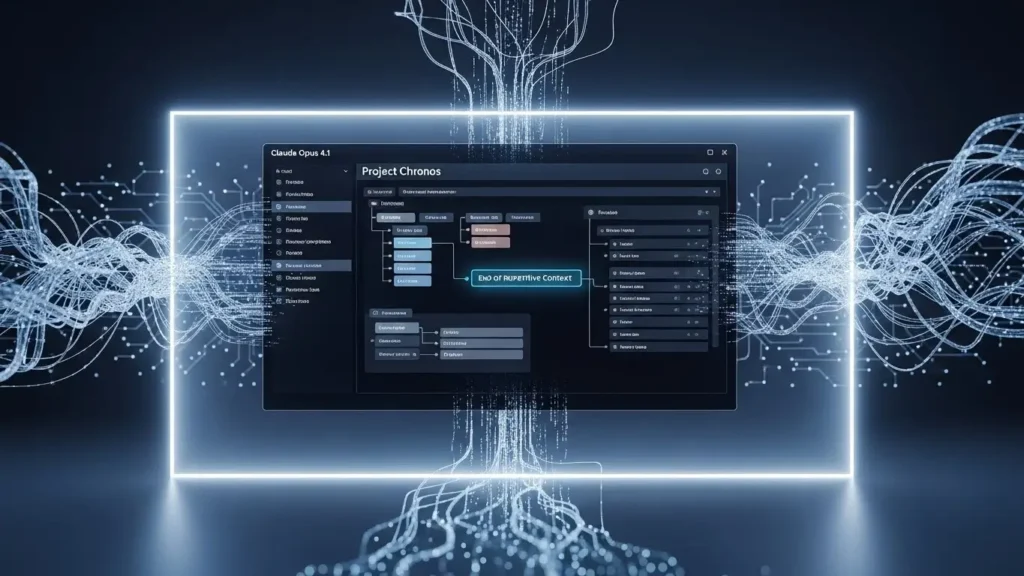
Projects give you persistent workspaces basically folders where your files and context live. Every chat inside that workspace automatically knows them. This is similar to functionality seen in Claude vs ChatGPT 2025 comparisons, but the execution here is seamless.
How Projects Work
You create a project, give it a name and load it with background materials: documents, spreadsheets, images, notes or whatever is relevant. Once they are in there, you don’t have to paste or re-upload them. Any chat you open inside that project already has access.
For example, if you are writing a novel, you make a “Sci-Fi Novel Project.” You drop in character bios, an outline and a map of your world. When you open a thread to brainstorm Chapter 1, Claude Opus 4.1 already remembers the context. It is like long-term memory scoped to one topic.
Integration with Cloud Storage
It gets better. Projects hook into your cloud storage. You can connect Google Drive and instead of uploading giant docs one by one, just point Claude Opus 4.1 to them. It treats those drive files as part of the project’s knowledge base. This means your AI assistant now has instant, reusable context across all chats inside the workspace, drastically improving Claude AI productivity.
Feature 4: Extended Thinking Mode (The Deep Focus Switch)
In the world of AI, speed is often prioritized, but for complex, mission-critical tasks, accuracy and methodical reasoning are paramount. This is where the game-changing Extended Thinking Mode in Claude Opus 4.1 comes into play. This feature is essentially Claude AI 4.1’s deep focus switch.

Normally, when you throw a tough problem at an AI like debugging intricate code, analyzing a messy, large data set or working through a multi-step logic puzzle a quick five-second answer is simply not sufficient and often results in errors or hallucinations. With Extended Thinking Mode turned on, Claude Opus 4.1 deliberately slows down, takes its time and actually shows you its reasoning step-by-step.
How to Leverage Extended Thinking
Using this powerful feature is straightforward:
- Toggle On: You will see a dedicated toggle under the prompt bar labeled “Extended Thinking.” Flip it on before you hit enter.
- Narrated Thought Process: Once activated, you immediately notice the difference. Instead of spitting out a final answer, Claude Opus 4.1 starts narrating its thought process. It might sketch out pseudo-code, run internal calculations in an artifact or list out options one by one before picking the best conclusion. For those interested in Claude Opus 4.1 troubleshooting, this mode is invaluable as it lays bare the assumptions being made.
- Transparency and Mid-Process Correction: The trade-off is speed; Extended Thinking is deliberately slower (30 seconds, a minute or more for complex tasks). The output also looks different you will see raw notes, internal thought logs and verification steps (e.g., “Verify data consistency,” “Action: running analysis”). This transparency is where Claude Opus 4.1 feels like a huge step up from its predecessors. Before, you only saw the end result. If it was wrong, you had to backtrack with follow-up prompts. Now, if you see the model take a wrong turn in step four, you can literally interject and say, “Check that assumption,” and Claude AI 4.1 reroutes its logic on the spot.
This capacity for real-time reasoning and on-the-fly fixes is a hallmark of the new model, fundamentally changing the collaborative dynamic.
Extended Thinking Mode Benefits
When should you utilize this specialized mode? For complex or accuracy-sensitive tasks, do the following:
- Debugging Code: It helps Claude Opus 4.1 methodically test possible fixes instead of guessing, resulting in reliable code execution in Claude Opus 4.1.
- Analyzing Financial Data: It forces the model to go through each angle and potential variable before concluding, making it a powerful tool for data analysis with Claude AI.
- Nuanced Essay Writing: It weighs arguments carefully, ensuring the final piece is balanced and well-supported, which is essential for high-quality Claude AI content creation.
This mode makes Claude Opus 4.1 feel less like a predictive chatbot and more like a reasoning partner that you can truly trust, especially compared to some Claude AI alternatives that still struggle with deep, multi-step tasks.
Feature 5: Next-Level Data Analysis and Code Execution
One of the most requested features across all major AI platforms has been the ability to handle data without needing to jump to external environments. Claude Opus 4.1 delivers on this with a powerful, built-in analysis tool that works like a dedicated code assistant behind the scenes.

The big shift is that users no longer need to jump out to Excel sheets or Jupyter notebooks. Claude Opus 4.1 can write, run and debug the code for you right inside the chat interface, showing the results instantly. This capability sets a new bar in the ongoing Claude Opus 4.1 vs GPT-4.1 debate regarding practical utility.
Data Handling: From CSV to Insights
Here is the simple, yet profound, workflow:
- Simple Upload: Drag and drop a CSV file straight into the chat window.
- Plain English Query: Ask in plain English what you want. For example: “Analyze this sales data. Find the highest-earning three products and display their revenue trend across the year.”
- Artifact Generation: The Artifact panel opens and you literally watch Claude AI 4.1 write Python code, load the CSV, group sales by product, run the necessary math and plot the results using libraries like Matplotlib.
- Interpretation and Storytelling: While it works, the chat explains what is happening (e.g., “I notice demand peaks at 5:00 PM with 460 rides compared to a 4:00 AM low”). Then, the Artifact displays clean, interactive charts not just visuals, but interpreted visuals. This capacity for turning raw numbers into a clear, actionable story is where Claude Opus 4.1 feels leaps ahead of its predecessor.
This means whether you are doing basic statistics, digging into complex trends or even prototyping machine learning models, Claude Opus 4.1 works like a personal data scientist. You do not need to be an expert in Python; you just ask and Claude Opus 4.1 decides when to spin up the necessary code execution in Claude Opus 4.1 inside an artifact. It is essentially the future version of spreadsheets, where you can tell the AI, “Do that boring, manual part for me” and it complies instantly. This is a crucial element of the Claude AI for developers offering, but also empowers non-coders immensely.
Feature 6: Real-Time Reasoning and On-the-Fly Fixes
The interactive problem-solving experience in Claude Opus 4.1 is radically different. It is no longer a simple question-and-answer exchange; it is a live dialogue where the AI reasons with you, adjusts on the fly and stays in lock-step as you iterate on projects, whether it’s code, writing or design. This fluid, fast-paced collaboration is a key component of the new Claude Opus 4.1 capabilities.

The Code-in-Buddy Approach
You can use Claude Opus 4.1 as a true code-in buddy by asking it to review and run your scripts inside an Artifact. Paste your Python invoice script and say, “Review and run this on dummy data.”
- Automated Debugging Loop: If it hits a bug (e.g., a KeyError: ‘total’ message), Claude Opus 4.1 flags the error, explains the cause, edits the code and shows the success output. The loop run, catch, fix, rerun is automated. You do not have to explicitly prompt, “debug this;” it just performs the full loop for you.
- Refactoring and Alternative Approaches: If the fix is not ideal, you can nudge it to try an alternative approach, swap a library or refactor a function and it adapts without getting flustered. That is true pair programming energy.
Surgical Editing for Writers
Apply the same collaborative rhythm to writing tasks:
- Have Claude AI 4.1 draft the piece.
- Target edits surgically: “Make the second paragraph funnier and less formal.” It changes only that paragraph.
- Ask for a tone shift across the whole document (e.g., “Add a touch of humor across the whole email and a casual sign-off”). It sprinkles the tone without rewriting your core content.
Because the massive Claude Opus 4.1 context window is utilized, you can rapid-fire refinements shorten a sentence, add an example, flip to active voice and it keeps the core thread intact through dozens of turns. This dramatically enhances Claude AI productivity for content creators and marketers.
Parallel Thinking and Multitasking
Lean on its parallel thinking when you need genuine multitasking. Request a concise summary of the report while cross-verifying all figures against the spreadsheet in the Project workspace. The model evaluates both sources in parallel, merges the findings and returns a clear summary along with any flagged inconsistencies. No second prompt is required and there is no waiting for sequential handoffs.
Treat Claude Opus 4.1 like a hyper-efficient colleague, not a vending machine. Interrupt freely, steer mid-process and correct the moment something looks off say, “Uh, wait, Claude, check that again.” The model course-corrects on the spot, especially with Extended Thinking enabled, where you will see it stop, reassess the assumption and rerun the logic before finalizing its output.
Feature 7: Built-In Personalities and Tone Customization
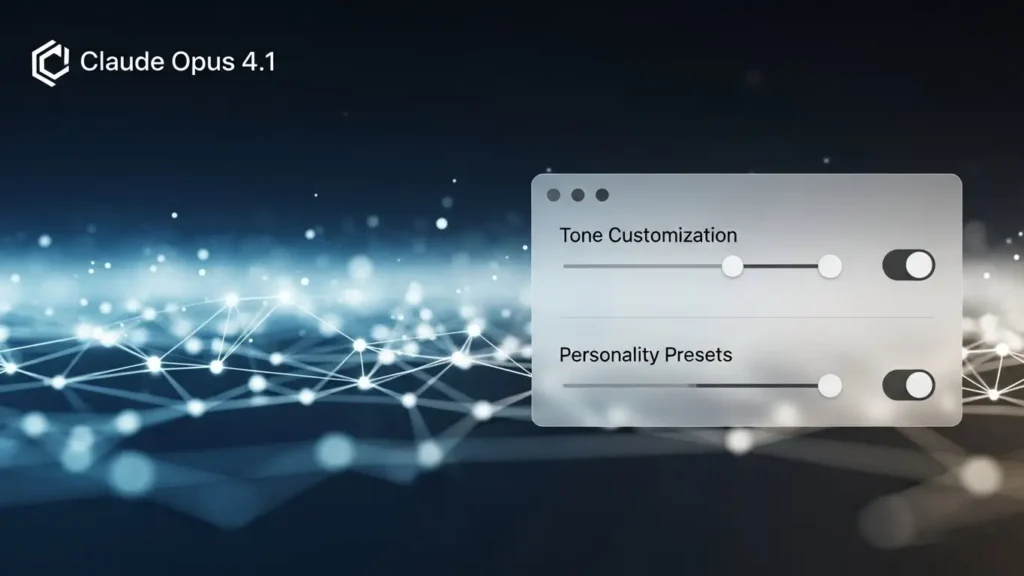
Last, but certainly not least in the roundup of Claude Opus 4.1 features, is the ability to shape the AI’s personality. Claude Opus 4.1 now includes built-in assistant personas and custom tone settings, which Anthropics calls ‘Styles.’ This is where Claude AI 4.1 shifts from being a one-size-fits-all bot to truly feeling like your personal assistant.
Preset and Custom Styles
Out of the box, you have several preset built-in assistant personas to play with:
- Normal: The default, friendly helper.
- Concise: Trims responses down to the essentials (great for Claude AI best practices when summarizing).
- Explanatory: Stretches out teaching with detail and step-by-step breakdowns.
- Learning: Best for students or explaining new, complex info.
- Formal: Tightens everything into polished, professional responses (perfect for business communication).
You can easily try this yourself: Ask Claude Opus 4.1 the same question using the “Concise” and “Explanatory” styles and you will see the difference immediately three sentences versus three paragraphs. Same knowledge, totally different flavor.
Advanced Tone Customization: The ‘My Voice’ Feature
Where it really gets interesting is the advanced custom tone settings Claude offers. You create these in two primary ways:
- Descriptive Prompting: Write something like, “Speak with excitement, use encouraging language, sound like an upbeat mentor.” You can then save this as a custom style (e.g., “Enthusiastic Coach”) and Claude Opus 4.1 will start delivering motivating, energetic responses.
- Sample Upload (The ‘My Voice’ Feature): This is a game-changer for content professionals. You can collect a few blog posts, emails or reports you have written and upload them as a reference. Label it, for instance, “My Voice.” When you switch this style on, Claude Opus 4.1 answers in a way that closely mirrors your natural tone be it cheeky, sarcastic, formal or enthusiastic even echoing your favorite phrases.
For scalable Claude AI content creation, this is invaluable. It ensures that drafts sound like they came straight from you, maintaining brand consistency across different channels. However, a warning: the quality of a custom style depends entirely on the sample you provide. Large, consistent samples produce strong, reliable voices; a messy mix of tones will only confuse the model. This flexibility, however, ensures that if you need one voice for social media and another for client reports, Claude Opus 4.1 can handle both seamlessly. The model’s deep understanding of linguistic nuance is a major point of discussion in every Claude Opus 4.1 review.
Feature 8: The Massive Context Window and Memory
The sheer scale of the context window in Claude Opus 4.1 is arguably its quietest, yet most powerful, innovation. While the flashier features like Artifacts capture attention, the underlying capacity to handle monumental amounts of data is what enables every other feature to shine.

A larger context window means Claude Opus 4.1 can remember and process far more text in a single interaction than almost any competing model. This allows for:
- Deep Research Synthesis: You can upload entire books, years of client reports or exhaustive legal contracts. The model can then synthesize, summarize and cross-reference information across these documents without losing the thread or succumbing to Claude AI hallucination a key concern in less capable models.
- Sustained Dialogue: For complex, multi-day projects, the conversation history does not fade. Claude Opus 4.1 retains minute details from earlier in the chat, enabling a fluid, continuous collaborative process that was previously impossible. This resilience in memory is a major point when considering Claude AI strengths.
- Mimicking Human Comprehension: By holding vast amounts of context in its active memory, Claude Opus 4.1 moves closer to how a human expert processes information with a full, integrated view rather than a snippet-by-snippet recall.
This feature is the foundation of Claude Opus 4.1’s capability to perform advanced tasks like the surgical editing and parallel thinking we discussed earlier. It is the engine that drives its superior improved reasoning compared to older versions and some Claude AI alternatives.
Feature 9: API, Enterprise Tools and The Future of Work
Beyond the user-facing interface, the most impactful change for long-term integration is the robust Claude Opus 4.1 API and its focus on enterprise-grade solutions. This is where Claude Opus 4.1 transitions from a personal tool to a core piece of organizational infrastructure, setting the stage for the Claude Opus 4.1 roadmap for the next few years.

Empowering Developers and Startups
The new Claude Opus 4.1 API guide details significantly improved latency, reliability and new endpoints designed for scalable, asynchronous workloads. This is critical for Claude AI for developers looking to build next-generation applications.
- Building Custom Solutions: Developers can now seamlessly integrate Claude Opus 4.1’s reasoning engine into their products, enabling features like automated customer support, complex backend data processing and instantaneous content generation at scale.
- Targeting Startups: For Claude AI for startups, the model offers powerful new Claude AI automation tools that can streamline operations without requiring massive upfront investment in custom machine learning models. The combination of easy integration and high performance makes it a compelling choice against the competition.
The Business Model: Pricing and Access
Understanding the commercial model is essential. While the core features of Claude AI 4.1 are accessible to individuals, enterprises must evaluate the Claude Opus 4.1 pricing structure and the distinction between Claude Opus 4.1 free vs pro tiers.
- Pro Tier Value: The Pro tier offers access to the full, massive context window, higher rate limits for frequent use and priority access during peak demand. For any professional relying on Claude Opus 4.1 for daily work, the Pro subscription is a necessity to ensure consistent access and performance.
- API Costs: The API pricing is structured around tokens (input and output), allowing businesses to pay only for what they use, a standard model among best AI models 2025. Businesses focused on high-volume transactions will find the cost-per-token highly competitive, especially given the superior output quality and reduced need for subsequent refinement.
Looking ahead, the Claude AI future updates are expected to focus heavily on modularity and specialization, allowing users and developers to select specific model components for tasks like advanced mathematics, visual processing or specialized code generation.
Conclusion: Beyond the Chatbox
The Claude Opus 4.1 release date heralded more than just an iteration; it marked a paradigm shift in AI collaboration. The nine powerful Claude Opus 4.1 features from the interactive Artifacts and the strategic Extended Thinking Mode to the personalized Built-In Personalities collectively transform the AI experience.
The central takeaway from any comprehensive Claude Opus 4.1 review is that this model positions itself not as a simple answer generator, but as a genuine digital partner. By embracing Claude Opus 4.1’s advanced prompting, leveraging its persistent memory via Projects and utilizing its transparent reasoning, professionals can unlock levels of Claude AI productivity previously considered aspirational. While a full AI models comparison 2025 reveals a tight race, Claude Opus 4.1 sets a new standard for workflow integration and collaborative intelligence.
Though no AI is without its limitations, the strengths of Claude AI 4.1 its vast context, superior data analysis and unprecedented interactive capacity far outweigh the remaining Claude Opus 4.1 limitations. To stay ahead of the curve, mastering the techniques outlined in this Claude Opus 4.1 guide is the most critical step you can take today. Go make something awesome with Claude Opus 4.1.
FAQs:
Q1: How does the new Claude Opus 4.1 model address the issue of AI hallucination?
A: Claude Opus 4.1 significantly minimizes the tendency toward Claude AI hallucination through several architectural improvements, primarily its Extended Thinking Mode and its massive, highly reliable context window. Extended Thinking forces the model to perform multi-step, verifiable reasoning before generating an answer. By showing its work, the model reduces the chance of making a baseless leap in logic. Furthermore, the ability to anchor responses to uploaded documents within Projects ensures that outputs are grounded in specific, trusted reference material, thereby boosting Claude Opus 4.1 reliability significantly.
Q2: What are the key differences when comparing Claude Opus 4.1 vs GPT-4.1 in terms of API features?
A: While both Claude Opus 4.1 vs GPT-4.1 offer robust APIs, Claude Opus 4.1 distinguishes itself with its focus on structured output via Artifacts and its inherently large, stable context window, which is often easier for developers to manage for stateful applications. The Claude Opus 4.1 API is lauded in many AI models comparison 2025 discussions for its low latency and superior performance in handling extremely long document chains, making it a preferred choice for complex data extraction and summarization tasks required for large-scale Claude AI business automation.
Q3: What are the main Claude AI pros and cons that a new user should consider?
A: The Claude AI pros and cons list is heavily weighted toward the pros with the 4.1 release. Pros (Claude AI strengths): Unmatched context window, dynamic Artifacts for code and documents, superior real-time code execution/debugging and human-like reasoning transparency (Extended Thinking). Cons (Claude AI weaknesses): It still does not natively generate images (though third-party integrations are becoming common) and for users migrating from other platforms, mastering the advanced prompting structure.
Q4: Is the Claude Opus 4.1 free version sufficient for professional work or is the Pro subscription necessary?
A: While the Claude Opus 4.1 free vs pro access allows users to experience the model’s quality, the free version is subject to rate limits and may occasionally drop back to a less powerful model during high-demand periods. For professional work, consistent Claude AI productivity demands the Pro subscription. The Pro tier guarantees priority access to the full Claude Opus 4.1 model, ensures stable access to the largest context window for complex Claude Opus 4.1 use cases and unlocks higher API rate limits, which are essential for any business utilizing Claude AI automation tools.